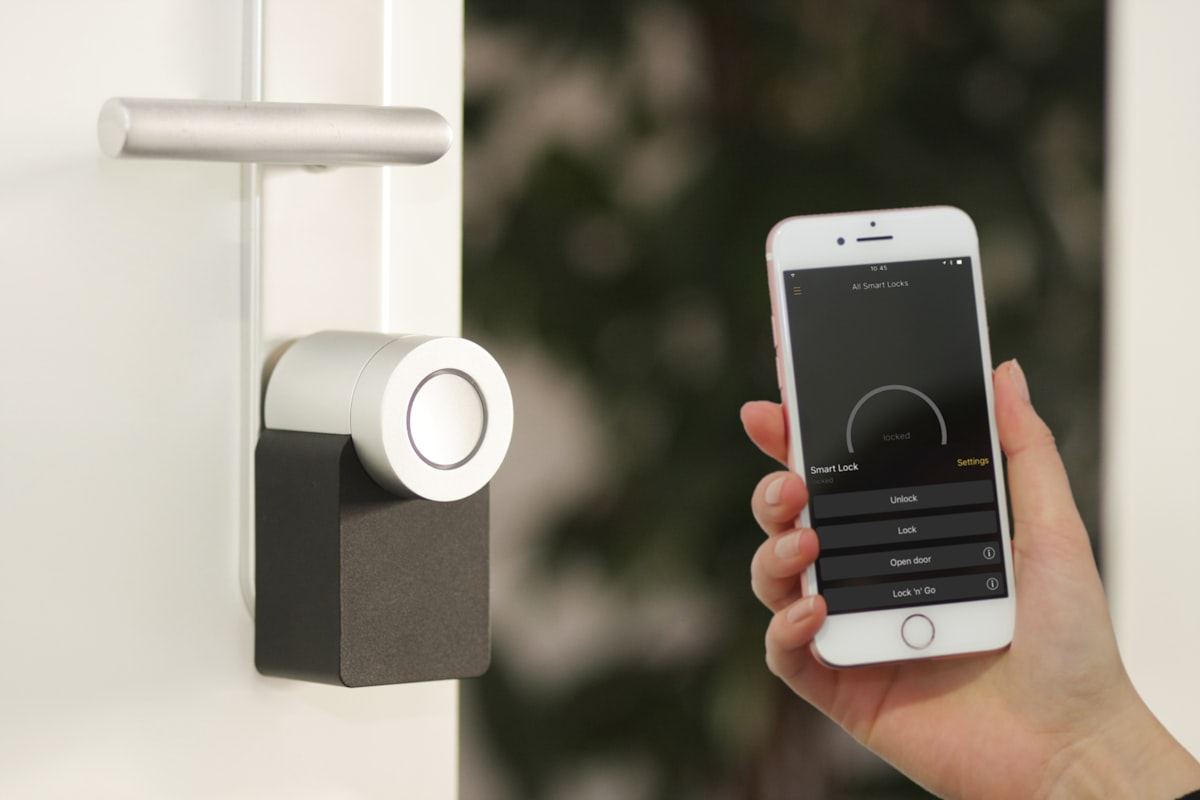
| Traditional Cost Item | Average Annual Expense (without home automation) | Cost with Smart Home Automation | Net Annual Savings |
|---|---|---|---|
| Energy bill (Heating/Air Conditioning) | €1,850/year | €1,310/year (presence detection + thresholds) | + €540 (-29%) |
| Physical access management | €2,100 / year (time / service providers) | €0 (standalone smart lock) | + €2,100 |
| Key & Lock Replacement | €240/year (losses, cylinder wear) | €35/year (alkaline batteries/recharging) | + €205 |
| Tobacco & Party Odor Removal | €350 (1 emergency service call) | €0 (Minut early detection < 15 min) | + €350 |
| Average annual total | 4,540 € | 1,345 € | + 3,195 € per property per year |
Technology
Home AutomationAirbnbEnergySmart LockSafetyAutomation
Airbnb Home Automation in 2026: The Ultimate Guide to Automating Your Short-Term Rental
Tested hardware, Matter and Zigbee protocols, 30% energy savings, camera-free security, and unified control: the comprehensive, data-driven guide for furnished apartments.
Équipe Majordia

Managing a short-term rental in 2026 without smart devices has become a daily logistical and financial challenge. Between successive increases in energy rates, the growing number of municipal bans on key boxes in public spaces, the outright ban on indoor cameras imposed by booking platforms, and the rising expectations of travelers accustomed to hotel-style comfort, manual management quickly reaches its limits.
Yet the term “home automation” still raises serious concerns among many guests and concierge managers: fear of investing in unreliable gadgets, dread of network outages on a Saturday night at 11 p.m., the complexity of electrical installations, and above all, the terror of turning guests’ stays into an unsolvable technological headache.
When designed for vacation rentals, home automation isn’t meant to impress with multicolored lights or chatty voice assistants. It serves three specific economic and operational goals:
- Drastically reduce operating expenses (electricity, heating, air conditioning, water) without ever compromising the occupants’ right to comfort.
- Eliminate the mental burden of shift changes by automating access distribution and exit monitoring.
- Protect real estate assets against hidden damage, illegal parties, and water damage, while scrupulously respecting privacy and regulations.
This reference guide details the state of the art in technology as of 2026: selection of certified hardware, communication protocols, actual costs, quantified returns on investment, CNIL legal regulations, and a practical method for providing travelers with a seamless experience without requiring them to download any mobile apps.
Astuce
Key Takeaways in 60 Seconds (Operational Summary):
- Heating Savings: An unregulated furnished unit consumes 28% to 42% more energy. A 1 °C decrease equates to a 7% savings (source: ADEME). Automatic temperature control (19–22 °C in winter, 23–26 °C in summer) can save €450 to €1,200 per year per unit.
- Self-service access: no more physical key boxes. Over-cylinder locks (Nuki) or multi-point locks (TTLock) generate temporary codes synchronized with booking times.
- Legal Framework & Privacy: An absolute ban on all indoor cameras has been in effect since April 30, 2024 (Airbnb + Art. 226-1 of the Penal Code). Only passive decibel sensors without audio recording (Minut) and leak detectors are compliant.
- Golden Rule of the Traveler Experience: Never force a guest to install a mobile app (85% dropout rate). All management must be centralized in a password-free online welcome guide.
1. The Numbers and Cost-Effectiveness: Why Should You Automate Your Home in 2026?
The installation of smart solutions in a furnished vacation rental should not be driven by a passing trend, but by a rigorous financial analysis. Data compiled by energy monitoring organizations and professional lodging associations make it possible to objectively assess the benefits.
Excessive Energy Consumption in Vacation Rentals
According to reports from the ADEME (Agency for Ecological Transition), heating and domestic hot water production alone account for approximately 66% of energy consumption in a residential home in France. However, in a short-term rental, occupants’ behavior differs radically from that of an owner-occupier who keeps a close eye on their bills:
- The "all-inclusive package" syndrome: Since they don't have to pay the electricity bill at the end of the month, travelers frequently set unreasonable heating temperatures (24°C or 25°C in the middle of winter) or leave the air conditioning running at 18°C while they’re out sightseeing for 8 hours straight.
- Ventilating with windows open and radiators on: a classic mistake during winter stays that leads to massive and continuous heat loss.
- Unoptimized periods of vacancy: Between bookings (rental vacancies lasting 24 to 72 hours), a unit heated to a comfortable temperature unnecessarily consumes up to 35 kWh per day for an average-sized apartment.
According to data collected from rental property portfolios equipped with smart submeters, an unregulated vacation rental consumes, on average, 28% to 42% more energy per square meter than a unit rented on a year-to-year basis under a standard lease.
With a regulated electricity rate hovering around €0.25 per kWh (including tax) in 2026, this behavioral deviation represents a direct annual cost overrun of €450 to €1,200 per household, eating into a substantial portion of the host’s operating margin.
Astuce
According to thermal calculations validated by ADEME, lowering the set temperature by just 1 °C results in an average 7% energy savings on your heating bill. During a winter stay, automatically lowering the temperature in a home from 23 °C to 20 °C results in an immediate 21% reduction in energy consumption.
The Hidden Cost of Manual Logistics
The financial aspect is not limited to kilowatt-hours. The time spent on physical operations has a significant impact on overall profitability:
- Trips to hand over keys: travel time, delays for guests stuck in traffic, late arrivals between 10 p.m. and 1 a.m. At an estimated hourly rate of €35 for an independent property manager, 1.5 hours lost per check-in across 60 annual reservations equates to €3,150 in unproductive time.
- Loss of physical keys and rekeying costs: A patented secure key set with a Vigik badge costs between €80 and €180 to duplicate, not to mention the risk of unauthorized copies left behind by former tenants.
- Emergency interventions in the event of noise disputes: An unresolved neighborhood dispute in the middle of the night can lead to a call to the local police, a summons from the condominium association, and a precautionary suspension of the listing by Airbnb or Booking.com.
The return on investment (ROI) for basic home automation equipment (smart lock + programmable thermostat + passive room sensor) generally ranges from 3 to 5 months for a property that hosts more than 30 stays per year.
Step-by-Step Formula for Calculating Home Automation ROI
To accurately calculate the return on investment for a home automation project in your own home, use the following standard formula:
Payback Period (Months) = [ Equipment Cost + Installation Cost ] / [ (Monthly Energy Savings) + (Hours Saved × Host Hourly Rate) + (Monthly Litigation Avoidance) ]
A concrete example for a 42 m² one-bedroom apartment in Lyon:
- Initial investment: Nuki Smart Lock Pro + Keypad 2 (€378) + Netatmo smart thermostat (€179) + Minut Gen 3 sensor (€149) = €706 including tax.
- Estimated electricity savings on heating: €48/month during the winter (for a smoothed average of €28/month over the year).
- Time saved on key management: 4 check-ins per month × 1.5 hours = 6 hours saved × €25/hour = €150/month in time value recovered.
- Total consolidated monthly savings: €178/month.
- Result: full payback in just 3.9 months. Starting in the fourth month, the system generates a recurring net cash surplus.

2. Smart Access Control: Connected Locks and Temporary Codes
The first step toward a successful home automation system is the front door. It’s the most critical touchpoint in the guest experience: a guest waiting on the landing at 10:30 p.m. because a code isn’t working will inevitably leave a negative review, regardless of the quality of the bedding or the view of the rooftops.
To learn more about the different self-service access configurations, check out our self-service check-in guide and our overview of smart locks and access codes.
The Inevitable End of Mechanical Key Boxes
Long popular for their affordability (25 € at hardware stores), 4-dial combination lockboxes are now considered obsolete for three main reasons:
- The municipal ban: Paris, Nice, Biarritz, Annecy, Saint-Malo, Lille, and many other urban areas are now cracking down on lockboxes attached to street furniture (grates, barriers, posts). Municipal maintenance crews cut them down without warning, leaving guests out on the street (see our article on key boxes banned in 2026).
- Opposition from homeowners’ associations: Property managers are overwhelmingly voting to ban lockboxes installed in lobbies, stairwells, or on landing doors to preserve the peace and aesthetics of common areas.
- Major security flaw: A 4-digit mechanical code remains unchanged for months. Any former tenants, cleaning service providers, or delivery drivers can return at a later date to open the box.
4 Professional Solutions for Vacation Rentals
When it comes to securing a furnished apartment, four categories of locks and connected systems will dominate the market in 2026:
1. Nuki Smart Lock (Pro 4.0 & Ultra)
Designed in Austria, Nuki has established itself as the European benchmark for locks mounted on a disengageable European cylinder.
- How it works: The motor is installed inside the door over an existing key or a compatible cylinder. From the outside, nothing is visible, which helps avoid any issues with the building manager.
- Connectivity: Built-in Wi-Fi and Matter over Thread compatibility, enabling ultra-responsive local control without cloud latency.
- External Keypad (Keypad 2): Allows unlocking via a 6-digit code or fingerprint.
- Battery Life: 6 to 9 months thanks to the USB-C rechargeable battery pack (Power Pack).
- Key Features: 5-minute installation with no drilling required, 100% reversible, and the physical backup key is retained.
2. TTLock (Global Ecosystem and Multi-Point Locks)
TTLock is not a single OEM brand, but rather a protocol and software platform integrated by dozens of manufacturers of electronic door handles and biometric locks.
- How it works: The handle or entire lock is replaced with a sturdy metal assembly featuring a backlit touchpad.
- G2 Wi-Fi/Bluetooth Gateway: Connects Bluetooth locks to the cloud for remote code generation.
- Code Management: Allows you to generate custom or random codes that sync directly with the dates and times of your stay.
- Key Features: Very competitive pricing (starting at €110 for a complete handle), IP65-rated waterproof models suitable for exterior doors on houses or villas.
3. Igloohome (AlgoPIN Technology without a Permanent Connection)
The Singapore-based brand Igloohome solves a critical problem: how to generate valid temporary codes if the home experiences an Internet router outage or is located in a dead zone?
- AlgoPIN Technology: The lock uses a time-synchronization algorithm identical to that found in RSA banking tokens. The host generates a code on their dashboard that is valid from Friday at 3:00 p.m. to Sunday at 11:00 a.m. Although the lock is completely disconnected from the Internet, it validates the code locally using its encrypted internal clock.
- Key Features: completely independent of the home’s Wi-Fi, battery life exceeding 12 months, proven durability.
4. IP Keypads and Electric Door Latches for Common Areas
For buildings where access to the main entrance requires authorization (entrance gate or exterior gate), the solution involves a connected device (e.g., Nuki Opener or Shelly Uni IP relay) connected to the indoor intercom unit, or a standalone keypad approved by the homeowners’ association.
flowchart TD
    A["Confirmed reservation (OTA / Direct)"] --> B["Automatic generation of access code"]
    B --> C["Strict time window: Check-in H -> Checkout H"]
    C --> D["Unified transmission to the traveler via Digital Booklet"]
    D --> E{"Stay status"}
    E -- "Before check-in" --> F["Code inactive / hidden"]
    E -- "During the stay" --> G["Code active 24/7"]
    E -- "After checkout" --> H["Immediate and automatic revocation"]
Comparative Chart of Smart Locks for Vacation Rentals
| Model / Ecosystem | Installation Type | Estimated Hardware Cost | Observed Battery Life | Requires a Wi-Fi gateway? | Ideal for: |
|---|---|---|---|---|---|
| Nuki Smart Lock Pro | Indoor cylinder-mounted (hidden) | €279 (+ €99 keypad) | 6 to 8 months (rechargeable) | No (built-in Wi-Fi and Thread) | High-end condominium |
| TTLock Poignée Pro | Door hardware replacement | €130 to €190 | 8 to 12 months (AA batteries) | Yes (G2 gateway for €30) | Urban studio apartments, standard solid doors |
| Igloohome Deadbolt 2S | Deadbolt replacement | €220 to €260 | 12 to 15 months (AA batteries) | No (offline AlgoPIN operation) | Cottages, isolated homes, areas without cellular coverage |
| Yale Linus L2 | Interior cylinder overlay | €229 (+ €89 for keypad) | 6 months (Li-ion battery) | No (built-in Wi-Fi) | Urban homes within the Yale Home ecosystem |
Attention
The Golden Rule for Disengageable Cylinders: If you’re installing a Nuki-type lock on an existing cylinder, you must verify that your cylinder is of the “disengageable” (or panic-release) type. This means that a key inserted from the outside must be able to turn even if a key is already inserted on the inside. If this is not the case, have the lock cylinder replaced with an A2P-certified disengageable model (average cost: €45 to €90) to ensure that a physical key will always open the door in the event of a battery failure.

3. Temperature Control and Energy Savings: Heating Just Right, Without Frustration
Managing thermal comfort offers the most significant potential for savings in a vacation rental. But it also hides a formidable pitfall: the temptation to exercise authoritarian control.
Physically locking a thermostat inside a padlocked plastic case or remotely setting the heat to 18 °C without giving travelers any leeway to adjust the temperature is a surefire way to get terrible reviews: “Freezing apartment”, “Stingy host who controls everything from their phone”, “Baby got sick because of the cold”.
The goal of smart heating automation is the opposite: to provide travelers with impeccable comfort while eliminating 100% of hidden waste.
Control Systems Based on Your Heating System
1. For individual gas boilers or heat pumps (HP)
Replacing the original room thermostat with a connected model such as the Netatmo Smart Thermostat or the Tado° Smart Thermostat V3+ allows for precise proportional control.
- Essential features: weekly scheduling based on your calendar, window-open detection, and software-based setpoint limits (e.g., preventing temperatures from exceeding 22 °C in winter).
- Smart thermostatic valves: Installed on each water-filled radiator, they help maintain bedroom temperatures at 18 °C and the living room at 20.5 °C, without unnecessarily heating unoccupied rooms.
2. For electric storage heaters or convection heaters
There are three approaches:
- Factory-connected heaters (Atlantic, Sauter, and Thermor brands with a Cozytouch bridge): the ideal solution for a complete renovation with a target energy efficiency rating.
- Recessed pilot-wire modules: Wi-Fi or Zigbee micromodules (such as the Shelly Plus 1PM paired with a pilot-wire rectifier diode) are installed directly into the wall-mounted junction box behind each radiator. They allow you to instantly switch the devices between the 4 standard modes: Comfort, Eco (usually Comfort - 3.5 °C), Frost Protection (7 °C), and Off.
- Zigbee remote thermostats and thermostatic heads: paired with a room temperature sensor placed in the center of the room to prevent the sensor built into the radiator from skewing the reading by being in direct contact with the radiator body.
3. For reversible air conditioning (air-to-air split systems with infrared remote control)
In the south of France and coastal areas, air conditioning is the most unpredictable source of electricity costs in the summer.
- The Sensibo Air or Tado° Smart AC Control smart devices are placed in front of the wall-mounted split unit and learn the infrared commands from the original remote control.
- Protection algorithms: They automatically shut off the compressor if the home is empty or if a window remains open for more than 3 minutes.
The 4 Essential Automation Scenarios
To achieve real savings of 25% to 35% without any manual effort on your part, set up these four automation rules:
Rule 1: The Transition from Departure to Rental Vacancy (Eco Mode)
As soon as the contractual check-out time has passed (e.g., 11:00 a.m.) and the front door has locked:
- The heating switches to a reduced temperature (16°C to 17°C in winter).
- The air conditioning shuts off completely in summer.
- Connected water heaters or hot water recirculation loops switch to standby mode if no check-in is scheduled for that day.
Rule 2: Dynamic Pre-Arrival Preheating (Comfort Mode)
Two hours before the guest’s official arrival time (e.g., starting at 2:00 p.m. for a 4:00 p.m. check-in):
- The system restores the standard comfort setting (20°C in winter, 24°C in summer).
- When the guest walks through the door, the apartment is at the perfect temperature. The sensory experience is impeccable.
Rule 3: Locking Open Windows
A simple wireless magnetic contact sensor (a Zigbee door/window sensor for €12) attached to the living room window and the bedroom windows:
- If a window remains open for more than 180 seconds while the heating or air conditioning is running, the system automatically shuts off.
- As soon as the window is closed, the original setting resumes. This single automated feature can save up to €150 in electricity costs over a summer season in a seaside location.
Rule 4: Setting Limits on Passenger Settings (Thermal Safeguards)
In a control interface accessible to passengers, do not lock the temperature; instead, allow them the freedom to choose within a reasonable range:
- Permitted winter range: between 18.5 °C and 22 °C (it is not possible to set the thermostat to 26 °C).
- Permitted summer range: between 23 °C and 27 °C (it is impossible to force the air conditioner to 16 °C to make ice).
| Rental Situation | Heating Setpoint (Winter) | Air Conditioning Setpoint (Summer) | Relative Energy Consumption |
|---|---|---|---|
| Vacant unit (between stays) | 16 °C (Eco Mode) | Off | Floor reference (100%) |
| Preheating before arrival | 20.5 °C (starts 2 hours before arrival) | 24 °C (starts 1 hour before arrival) | Gradual ramp-up |
| Current stay (limited guest control) | 19 °C to 22 °C (customer’s choice) | 23 °C to 26 °C (customer’s choice) | Controlled comfort (~160%) |
| Stay without home automation (unrestricted use) | 24 °C to 26 °C continuously + windows | 18 °C continuously with windows open | Temperature drift (~280%) |

4. Passive Security and Privacy: The CNIL and Airbnb Framework
Securing a rental apartment remotely is legitimate, but the line between this practice and unlawful intrusion into vacationers' privacy is strictly regulated by law and the platforms' terms of use.
For a comprehensive overview of noise conflict management, please refer to our article on noise prevention and parties in rental properties.
A Complete Ban on Indoor Cameras in 2026
As of April 30, 2024, Airbnb’s global policy strictly prohibits any surveillance cameras inside rental listings, regardless of the room (including hallways, entryways, living rooms, and sunrooms), and even if the camera is turned off, unplugged, or explicitly mentioned in the listing description.
Under French criminal law, Article 226-1 of the Penal Code punishes with one year of imprisonment and a fine of €45,000 the act of infringing upon another person’s privacy by capturing, recording, or transmitting, without that person’s consent, an image of a person in a private place.
Outdoor cameras (monitoring exclusively the outdoor access gate or the street-side front door) are permitted on the express condition that they do not film public streets (in accordance with the guidelines of the CNIL) and that they are explicitly mentioned in the online listing.
100% Compliant and Non-Intrusive Passive Sensors
To prevent misuse without violating the law, modern home automation relies exclusively on sensors that are blind and deaf:
1. The decibel-based sound level sensor (e.g., Minut Sensor Gen 3)
The Minut sensor measures raw sound pressure in decibels (dBA).
- No conversation-monitoring microphone: The device does not store any audio files, does not record any voices, and does not allow anyone to listen in on travelers’ conversations at any time. It simply calculates an average sound level every 30 seconds.
- Configurable alert thresholds:
- During the day (8 a.m. – 10 p.m.): an alert is triggered if the level exceeds 75 dB for more than 10 consecutive minutes.
- At night (10:00 PM – 8:00 AM): threshold lowered to 65 dB for more than 5 consecutive minutes.
- Automated escalation protocol:
- Upon the first alert, the system automatically sends a polite text message to the guest: “Hello [Name], we’ve noticed that the noise level has been high for the past few minutes. Please be mindful of our neighbors after 10 p.m.”
- In 94% of cases, the noise stops immediately without the host needing to intervene.
- If the noise level remains excessive 15 minutes later, the host receives an urgent notification to contact the guest by phone.
2. Detection of Tobacco and Vaping Smoke
The sensor includes a fine-particle analyzer capable of distinguishing cigarette or cannabis smoke from ordinary steam produced by showering or cooking.
- In the event of a violation of the smoking ban, the host has an objective, certified timestamp. This allows the host to request the compensation provided for in the house rules (costs for dry cleaning curtains and ozone deodorization, typically billed between €250 and €500) with irrefutable proof for the Airbnb Resolution Center.
3. Flood and Water Leak Sensors
Placed under the kitchen sink cabinet, behind the washing machine, and under the hot water heater (e.g., Shelly Flood or Zigbee leak sensor):
- If moisture is detected on the floor, the sensor emits a local audible alert and sends a priority push notification to your smartphone.
- When paired with a smart solenoid valve installed on the main water supply line, the system immediately shuts off the main water supply in less than 5 seconds, thereby preventing devastating water damage that could flood the apartments below.
Astuce
To ensure that the use of a Minut-type sound sensor is legally sound, mention its presence in your welcome booklet and property description: “Accommodation equipped with a sound-level sensor that respects your privacy (no audio recording or cameras).” This transparency deters 100% of ill-intentioned partygoers right from the booking stage.

5. Network Protocols and Infrastructure: Building a 99.9% Reliable System
The Achilles’ heel of many connected devices lies in the fragility of the wireless network. In a rental property, travelers unplug devices, reset internet routers, or connect eight phones and computers at the same time, causing poorly configured connected devices to crash.
Technical Comparison of Home Automation Protocols in 2026
| Protocol | Radio Frequency | Topology | Range / Wall Penetration | Power Consumption | Best For: |
|---|---|---|---|---|---|
| Wi-Fi Direct (2.4 GHz) | 2.4 GHz | Star (Central hub) | Average (sensitive to thick walls) | High (frequent plug-in or battery replacement) | Main locks, outdoor cameras, master thermostats |
| Zigbee 3.0 | 2.4 GHz | Mesh (self-healing mesh) | Strong thanks to AC-powered relays | Very low (2 to 3 years on a CR2032 button cell battery) | Door/window sensors, flood sensors, micro-modules |
| Z-Wave Plus V2 | 868 MHz (Europe) | Mesh (S2-secured mesh) | Excellent (penetrates masonry) | Very low (1 to 2 years on battery) | High-end heating systems, reinforced locks, villas |
| Matter over Thread | 2.4 GHz (Thread) | Native IP mesh | Very strong (direct local IPv6 addressing) | Very low (battery-optimized) | New standards: Nuki 4.0, Apple Home, Google Home |
Why Should You Avoid an "All-Wi-Fi" Setup for Short-Term Rentals?
The beginner's instinct is to buy 20 low-cost Wi-Fi light bulbs, outlets, and sensors. This setup is bound to fail for two fundamental technical reasons:
- Overload of the Internet router’s NAT table: Consumer routers (Livebox, Freebox, SFR Box, Bbox) have difficulty allocating and maintaining more than 25 to 30 simultaneous IP addresses on the 2.4 GHz band. As soon as four travelers connect with their smartphones, tablets, and computers, smart home devices start dropping off the network one by one.
- Vulnerability to Wi-Fi password changes: If a guest resets the router or if you need to change the router’s WPA key after an incident, you must manually reconfigure 20 devices one by one.
Recommended Network Architecture: VLAN Isolation / Dedicated SSID
To secure your setup like a professional hotel:
- Create a restricted Guest Wi-Fi network on your router for travelers, with client isolation enabled (guests cannot scan the local network).
- Create a hidden or dedicated “IoT-Home Automation” SSID reserved exclusively for your connected devices (door lock, thermostat, home automation hubs).
- Even if a guest downloads large amounts of data or uses a VPN, your critical devices will retain guaranteed bandwidth and remain completely immune to interference.

6. Lighting, Lifestyle Scenarios, and Preventive Maintenance
Home automation isn't just about monitoring and turning things off—it enhances the traveler's experience and protects the technical components of your home.
Lighting Scenarios: The "Wow" Factor from the Moment You Walk In
Smart lighting (Philips Hue bulbs, WiZ bulbs, or Shelly micromodules hidden behind light switches) can completely transform the atmosphere of a room:
- The “Safe Nighttime Arrival” scenario: When the traveler enters their code on the lock between 7:00 p.m. and 6:00 a.m., the entryway light and warm ambient lighting in the living room automatically turn on at 40% brightness. No more fumbling in the dark for the light switch while dragging suitcases across the hardwood floor.
- General Shutdown on Departure: A simple press of the exterior lock button upon final departure instantly turns off all lights and non-essential power strips.
- Occupancy simulation during vacation periods: Between mid-season rentals, the property can randomly turn a living room lamp on and off between 7 p.m. and 11 p.m. to deter potential burglars.
Preventive Maintenance Through Energy Consumption Analysis
By plugging a smart plug with power measurement (e.g., Shelly Plus Plug S) into key household appliances (refrigerator, dishwasher, washing machine), you’ll receive alerts before a breakdown leads to a guest complaint:
- Refrigerator door not closed properly: If the compressor runs continuously at full power for more than 2 hours, an alert will notify you immediately.
- Abnormal power consumption: Early detection of a space heater or a defective appliance plugged in by a resident.
- Monitoring of lock and sensor batteries: Centralized tracking of battery charge levels to schedule replacements during housekeeping shifts before a lock’s battery drops to 0%.
To create a thorough schedule for technical inspections, check out our guide on preventive maintenance for rental properties.
7. The Fatal Mistake: The Flood of Mobile Apps and Traveler Rejection
Here's the worst-case scenario experienced by hundreds of overly enthusiastic hosts:
You've equipped your apartment with a Nuki lock, two Sensibo air conditioners, a Netatmo thermostat, Tuya Smart Life light bulbs, and a Minut sensor. Proud of your setup, you send a message before your guests’ arrival containing five download links to the App Store and Google Play, along with instructions for creating an account and pairing via Bluetooth.
The result? An ergonomic and interpersonal disaster.
- The traveler refuses to install apps: After a 6-hour trip, no one wants to download three unfamiliar apps, create an account with a password, and enable location services just to open a door or turn on a heater.
- International compatibility issues: Foreign tourists often have limited data plans while roaming, run out of storage space on their phones, or have smartphones with outdated operating systems.
- Confusion over complex interfaces: Manufacturers’ stock apps are full of technical menus, usage charts, and advanced settings that are unnecessary for a 48-hour stay.
- A flood of emergency calls to the host: as soon as Bluetooth disconnects or a software update crashes the app, the host’s phone rings.
Attention
The Golden Rule of User Experience in Vacation Rentals: Travelers should NEVER be required to create an account or install a native app on their smartphone to enjoy the amenities of a vacation rental.
Home automation should be invisible or universally accessible via a standard web browser.
8. How can you consolidate all home automation features into a digital welcome guide?
To balance advanced automation on the host side with absolute simplicity on the passenger side, the ideal architecture relies on a single gateway: the interactive digital welcome booklet.
Find out how to put together a modern welcome booklet in our guide on the perfect Airbnb welcome booklet.
flowchart LR
    subgraph Passenger["Passenger Experience (No Download)"]
 QR["Scan NFC Tag / QR Code"] --> Booklet["Digital Web Booklet (Majordia)"]
        Booklet --> T1["Thermostat Tile (Range 19-22°C)"]
        Booklet --> T2["Lighting Tile (ON/OFF Scenes)"]
 Booklet --> T3["Access Tile (Dynamic Keypad)"]
    end

subgraph Hub["Majordia Home Automation Hub (Host Side)"]
 Livret <--> MajServer["Majordia Cloud & Hub API"]
 MajServer --> Nuki["Nuki / TTLock Direct API"]
        MajServer --> HA["Home Assistant REST API"]
 MajServer --> Sensibo["Sensibo / Netatmo"]
 MajServer --> Shelly["Shelly HTTP Webhooks (Anti-SSRF)"]
    end
Le voyageur: A Streamlined and Secure Web Control Panel
By scanning a QR code or holding their phone up to a connected NFC tag located in the entrance to the accommodation (or by clicking on the link received in their welcome message), travelers instantly gain access to a progressive web app (PWA) without having to install anything:
- Interactive Thermostat Tile: The guest can see the current room temperature and can raise or lower the comfort setpoint with a simple swipe of the finger, within the range defined by the host (e.g., between 19 °C and 22 °C). No access to background settings, no boiler controls.
- Lighting Tile: Simple buttons to switch between the main lighting scenes in the living room or turn off all lights at once before going to bed.
- Lock and Keypad Tile: The temporary access code is securely displayed only during the dates and times of the stay. With a single tap, the guest can even have the front door unlocked if their hands are full of luggage.
- Appliances and Visual Guides: 15-second visual tutorials explaining how to use the washing machine, induction cooktop, or coffee maker, reducing frequently asked questions by 90%.
The Host: A Unified Home Automation Hub for Controlling Your Entire System
On the management side, the Majordia platform natively integrates a comprehensive home automation hub designed specifically for vacation rentals:
- Ready-to-use access connectors: Direct connections to the APIs of Nuki, TTLock, and Igloohome. Your temporary access codes are automatically generated upon booking confirmation and revoked as soon as the guest checks out.
- Native Home Assistant integration: For advanced hosts with a Home Assistant box (Yellow or Green), Majordia communicates with the entities of your choice (
climate,light,lock,switch) via a secure REST API. - Secure universal webhooks: Support for HTTP requests (compatible with Shelly, Tuya, SmartThings, IFTTT) protected by strict anti-SSRF safeguards to control any smart relay or valve.
- Temperature and Security Safeguards: You set minimum and maximum temperatures by season. Even if a guest tries to push the limits, the system ensures your home stays within budget.
- Offline Resilience: If the property’s internet connection fails, the guidebook caches vital information (emergency mechanical access code, support number, rules) to ensure a guest is never left stranded.
9. Emergency Troubleshooting Matrix: What to Do in the Event of an Incident at 11:00 p.m.?
Even the best technology can run into unexpected problems. Here is the immediate response protocol for the 5 most common breakdowns in short-term rentals:
| Incident Observed | Probable Cause | Immediate Solution (without the host having to travel) | Long-Term Preventive Measure |
|---|---|---|---|
| Smart Lock: Code Rejected by Keypad | Guest entered the wrong code or time synchronization issue | Unlock the door remotely from the host dashboard or provide the emergency master code | Configure the code to activate 30 minutes before the official arrival time |
| Lock batteries completely drained | Dead batteries ignored in previous alerts | Connect an external battery (USB-C power bank) to the emergency port under the keypad or handle | Always replace the batteries as soon as the 20% alert is triggered during cleaning |
| Complete Internet/Fiber Outage | Network maintenance by the provider or router accidentally unplugged | Keypad locks (Nuki/TTLock/Igloohome) operate in offline local memory mode without Wi-Fi | Install a secure smart plug that automatically restarts the router in the event of an outage |
| Persistent nighttime audible alert (> 70 dB) | Unauthorized party or television volume set too high | Triggers a polite automated text message via Minut (resolved in 94% of cases) | Explicitly mention the Minut sensor in the handbook and house rules |
| Moisture/water leak detection on the floor | Leak under the sink or defective washing machine seal | The motorized solenoid valve automatically shuts off the main water supply within 5 seconds | Manually test the connected valve’s shut-off function once per quarter |
10. Budget, Recommended Equipment, and Roadmap by Profile
To get started without straining your cash flow, here are three typical scenarios with cost estimates based on the type of property you own and your management goals.
Package 1: “Essentials & Independence” (Urban Studio / 1-Bedroom)
Goal: Automate 100% of check-ins and eliminate lost keys.
- Smart lock: Nuki Smart Lock 4.0 with Keypad 2 or TTLock door handle with G2 gateway (€220 to €370).
- A2P detachable cylinder: mechanical backup security (€55).
- Interactive digital welcome guide: Majordia with a dynamic access tile and arrival tutorials.
- Total hardware investment: approximately €275 to €425 including tax.
- Installation time: 1 hour.
- Observed return on investment: less than 2 months (15 hours saved in on-site time).
Package 2: “Comfort & Energy Savings” (3- or 4-room apartment)
Goal: Cut heating and air conditioning bills in half and avoid the holidays.
- All the features of the Essential Pack (standalone access control).
- Temperature control: Netatmo or Tado° smart thermostat, or 2 Sensibo Air units for reversible air conditioners (€180 to €300).
- Wireless motion sensors: 3 Zigbee magnetic sensors on windows and picture windows (€45).
- Passive monitoring: 1 Minut Sensor Gen 3 noise and smoke detector (€149).
- Total hardware investment: approximately €650 to €920, including tax.
- Estimated annual savings: €650 to €1,100 per year.
- Observed return on investment: 8 to 11 months.
Package 3: “Total Independence & Peace of Mind” (Villa, Chalet, Multi-Property Complex)
Goal: Zero in-person visits, maximum protection against damage, and a luxury experience.
- All the features of the Comfort Package.
- Water Damage Protection: 3 flood sensors (kitchen, laundry room, water heater) + 1 motorized solenoid valve on the main water supply (€220).
- Automated lighting: 4 Shelly Plus recessed micromodules for general on/off scenarios (€100).
- Unified local hub: Home Assistant Green or a multi-protocol home automation gateway (€99).
- Total hardware investment: approximately €1,100 to €1,450, including tax.
- Benefits: complete peace of mind, 100% remote management for property management services or expatriate homeowners, and comprehensive protection against major disasters.
| Equipment Package | Essential Package (1- or 2-Bedroom) | Comfort Package (3- or 4-Bedroom) | Total Autonomy Package (House/Villa) |
|---|---|---|---|
| Smart Lock + Keypad | €250–€350 | €250–€350 | €300–€400 |
| Heating/Air Conditioning Control | Optional | €180 - €300 | €300 - €450 |
| Window-opening sensors | - | €45 | €90 |
| Noise & tobacco sensor (Minut) | - | €149 | €220 (2 zones) |
| Flood Protection (Valve + Sensors) | - | - | €220 |
| Centralized Away Mode Control | Included (Majordia) | Included (Majordia) | Included (Majordia) |
| Average Investment Budget | ~€320 | ~€780 | ~€1,350 |
| Estimated financial ROI | 1.5 months | 7 months | 10 months |
Take action today — Create your free digital welcome booklet on Majordia: try out the home automation hub, connect your Nuki or TTLock locks, and offer your guests a seamless, high-end stay.
11. Expert Frequently Asked Questions (FAQ)
What happens if the home’s internet router goes down?
This is the scenario every beginner fears. For a smart lock, most professional systems remain fully operational:
- Keypad locks (Nuki Keypad, TTLock, Igloohome) store access codes in their local flash memory. Even without any Wi-Fi network in the apartment, the code entered by the guest will open the door instantly.
- Smart thermostats continue their control cycle based on the last stored setting.
- As an extra precaution, always keep a secure physical backup key (in a discreet hiding place or with a partner business or neighbor), and be sure to include instructions for using it in the welcome booklet.
Are smart locks allowed in condominiums?
Yes, provided you choose the right equipment. “Over-cylinder” locks (such as Nuki or Yale Linus) are installed inside the apartment without modifying the exterior of the entry door or altering common areas. Legally speaking, you keep your door intact, and no approval from the general meeting is required. However, to drill into a common entrance door or install a strike plate on the building’s main entrance door, you must obtain the property manager’s formal consent and pass a resolution at a general meeting.
Does the Minut noise sensor violate the General Data Protection Regulation (GDPR)?
No. The Minut sensor has been audited and certified for strict compliance with the GDPR and CNIL standards. It does not capture any intelligible sound, does not store any audio files, and does not use speech recognition. It measures only sound pressure in decibels. No personal or conversational data is recorded or transmitted to servers.
Should you choose Wi-Fi, Zigbee, or the new Matter protocol?
In 2026, the optimal architecture for a vacation rental combines:
- Wi-Fi for key devices requiring a direct cloud connection (main lock, central thermostat, gateway).
- Zigbee 3.0 for small peripheral sensors (window open sensors, flood sensors, switch contacts) due to their negligible cost (€10 to €15) and their 2- to 3-year battery life on a button cell.
- The Matter over Thread protocol (found on the latest generations of devices such as the Nuki Smart Lock 4.0), which unifies these worlds by ensuring instant local responsiveness, even if the cloud experiences slowdowns.
How can you prevent guests from opening the windows while the air conditioning is on?
The most effective solution isn’t to post prohibitions in red capital letters on the wall, but to automate the shut-off: install a wireless magnetic window sensor on each window connected to your air conditioning control unit (via Sensibo, Tado°, or your Majordia home automation hub). If the window remains open for more than 3 minutes, the air conditioning turns off automatically. A discreet message in the welcome booklet alerts the guest: “To save energy, the air conditioning automatically pauses if the windows remain open.” The guest experience remains pleasant, and your bill stays under control.
Summary: A 5-Step Checklist for Automating Your Airbnb
- Step 1 (Door Audit): Check the existing lock cylinder. Install a disengageable lock cylinder if necessary, and install a smart lock with a keypad (Nuki or TTLock).
- Step 2 (Heating/Air Conditioning Control): Replace the room thermostat or equip split-system units with infrared gateways (Sensibo/Tado°). Set safety thresholds (19–22 °C in winter / 23–26 °C in summer).
- Step 3 (Passive Security): Install a decibel-measuring ambient sensor (Minut) in the main living area and two water leak detectors at vulnerable points.
- Step 4 (Rotation Scenarios): Program the system to automatically turn off all devices and switch to Eco mode at the official checkout time.
- Step 5 (Unified Interface): Connect all your devices to the Majordia digital guest guide so your guests can control their comfort with a single tap on their smartphone, without a password or mobile app.
É
Équipe Majordia
Smart Home & LCD Specialist
Guides and resources for hosts and property managers.
All articles
Partager :
Essai gratuit
Prêt à passer au livret digital ?
1 mois gratuit : carte proposée à l’inscription (facultative). Votre livret est prêt en quelques minutes.
Créer mon livret gratuitement
