Guide
How to Create the Perfect Airbnb Welcome Guide in 2026
A good welcome booklet can reduce your messages by 70%, boost your rating, and generate paid services. Here's our comprehensive guide to going digital.

You know the one: the plastic-covered binder sitting on the coffee table, with yellowed pages explaining how the coffee machine works. In 2026, your guests deserve better. They’ll discover your property by scanning a QR code, and instantly gain access to a rich, fluid, and personalized mobile page featuring your brand’s colors.
This guide walks you through, step by step, how to create a digital welcome booklet that impresses your guests, reduces repetitive messages, and opens up opportunities for additional revenue. We analyzed the practices of more than 1,200 Majordia hosts to identify the best strategies. For quick implementation, check out the self-check-in and installing an QR code at the entrance.
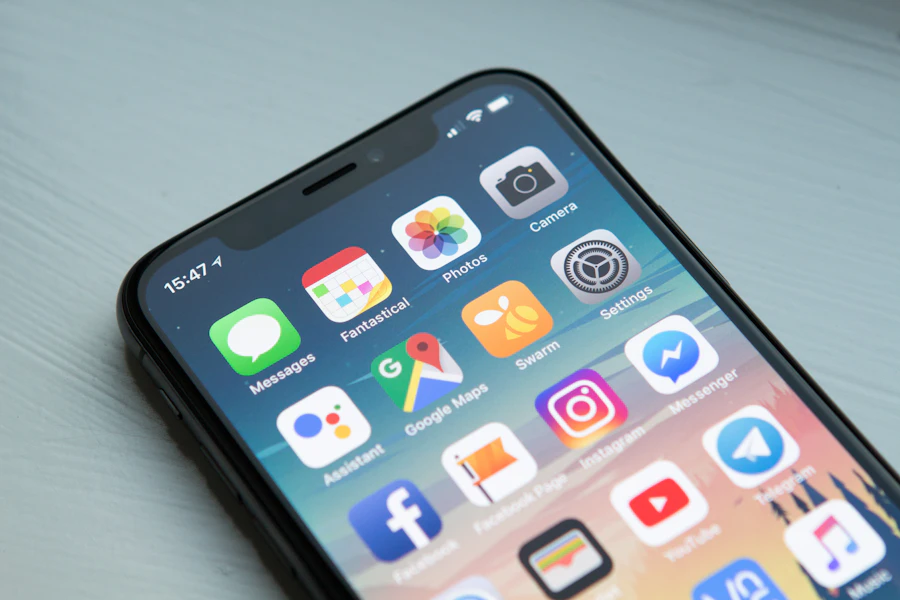
Why Go Digital with Your Welcome Brochure?
A paper brochure is static, often incomplete, and rarely consulted. A digital brochure, on the other hand, can be accessed with a single scan from any smartphone, is updated in real time, and can include interactive features: online payment via Stripe, AI chat, reservations for additional services, and automatic alerts.
Think about it from the traveler’s perspective: they arrive at 11 p.m., tired after a flight. They want the Wi-Fi password, instructions on how to turn on the heat, and to know if a restaurant is still delivering. With a paper booklet, they’ll search around, get frustrated, and send you five messages. With a digital booklet, they’ll have everything in three seconds.
Hosts who go digital see a 70% reduction in repetitive messages (Wi-Fi code, house rules, hours). Their overall rating increases by an average of 0.2 to 0.4 points. They generate additional revenue through paid services (breakfast, late check-out, housekeeping). Their image becomes professional and modern, setting them apart from the competition. They can instantly update text or prices and offer automatic multilingual support so that their international guests can understand everything. Finally, they have access to statistics to see which sections are viewed most often.
Astuce
According to a study by Transparent (2025), properties with a digital welcome guide receive, on average, 4.3 times fewer pre-arrival messages than those without one. For a portfolio of ten properties, this translates to a savings of about six hours of messaging time per week.
Print vs. Digital: The Showdown
Here is an objective comparison of the two approaches.
In terms of accessibility, the paper version is only available on-site, while the digital version is accessible before, during, and after your stay. When it comes to updates, the paper version requires reprinting and a trip to the location; the digital version allows for real-time edits from your phone. Multilingual support on paper means one page per language, which is cumbersome to manage; the digital version includes machine translation. There is zero interactivity on paper, whereas the digital version lets you copy a code, pay for a service, or chat with AI. Additional revenue is impossible with paper, but is built into the system with online payment in the digital format. The cost of paper includes printing and lamination with every change; the digital format is included in the subscription. Finally, paper generates waste, whereas digital formats produce none.
Take Action — Explore the interactive booklet or create your free account (1 listing, 6 tiles).
The Essential Elements of Your Booklet
1. Access Information and Check-In
This is the first thing your guest looks for upon arrival. The building access code, the location of the key box, the floor number, and parking instructions: everything must be clear and immediately available.
Organize this section into numbered steps: 1) Find the building 2) Open the gate 3) Locate the key box 4) Enter the apartment. Each step should include a clear photo and a brief instruction—the same level of detail as for a successful self-check-in.
Astuce
Add photos of the front door, the key box, and the driveway. A visitor who’s tired after a flight will understand a photo much more quickly than a description. Also, be sure to take photos of visual landmarks (the pharmacy on the corner, the bakery across the street).
2. Wi-Fi and Connectivity
The number one question your travelers ask. Enter the network name, password, and connection speed. With a digital guidebook like Majordia, the Wi-Fi password can be copied with a single click. Travelers no longer even need to type those twenty strange characters.
Also include practical information such as connection speed, whether the network supports 4K streaming, or if there is a separate 5 GHz network for business devices. Digital nomads and business travelers appreciate these details.
3. House Rules
No parties, no smoking indoors, waste sorting, noise levels after 10 p.m.: review the key points in the guide Noise and Neighbors. Present these rules in a positive way: instead of “You are not allowed to…,” opt for “We would appreciate it if you could….” The tone makes all the difference between a cold reception and a warm one.
Astuce
Limit yourself to a maximum of 5–7 rules. Any more than that, and guests won't read them. Prioritize the ones that protect your home (noise, pets, smoking) and your relationship with your neighbors.
4. Equipment Guide
How does the induction cooktop work? Where can I find extra sheets? How do I adjust the thermostat? Short explanations with photos are better than long texts. Majordia even offers videos about the apartment’s amenities, included in the Individual and Pro paid plans.
Also list the “hidden” amenities that travelers often look for: an iron, a hair dryer, a first-aid kit, a fire extinguisher, a plug adapter, and an HDMI cable. These are details that help prevent unnecessary messages.
5. Local Guide and Recommendations
Restaurants, activities, transportation, pharmacies, emergency services: Your travelers appreciate your personal recommendations, which are a major factor in their satisfaction. Organize your suggestions by category and add a Google Maps link for each one.
The most popular recommendations are the ones that sound like they come from real-life experience: “I go there every Sunday for brunch,” “The best spot to watch the sunset.” Avoid generic lists copied from TripAdvisor.
6. Services and Paid Services
Breakfast delivery, housekeeping during your stay, late check-out, airport transfers, bike rentals: these are revenue opportunities directly integrated into your account—see the guide on paid services and direct bookings. With Majordia, travelers book and pay online via Stripe.
Attention
Only offer services that you can actually provide reliably. A service that’s promised but not delivered does more damage than a negative review.
7. Contact and Support
Even with the best guidebook in the world, there will always be questions. Offer a direct contact button (WhatsApp, phone), and for hosts on the Personal or Pro plans, the AI Butler takes over 24 hours a day (not available on the Lite plan).
8. Emergency Numbers
This section is often overlooked but crucial. Include the numbers for emergency medical services (15), the fire department (18), the police (17), the European emergency number (112), the nearest hospital, and your own phone number. If your municipality requires it, also include a reference to the guest registry and the Declaloc 2026. In the event of a genuine emergency, your guest should not have to search for this information.
How to Set Up Your Majordia Savings Account
Setup takes less than 15 minutes for a standard home. Here are the steps:
- Create your Majordia account (takes a few minutes; a credit card is optional during sign-up).
- Add your property: name, address, photos.
- Customize your tiles: Wi-Fi, arrival instructions, local guide, services.
- Adjust the colors and add your logo for a branded experience.
- Receive your free QR tag: if you’ve registered a card during the trial, confirm the address under Tags in the dashboard; otherwise, the free tag included in the plan is available after paid activation (see pricing).
- Place the tag in your property—your guests scan it and gain access to everything.
- Send the link to your guest guide via message 24 hours before arrival.
Astuce
Pro Tip: Send the link to your guest guide via message before the guest arrives. They’ll already have all the information and will feel more at ease upon arrival. The pre-arrival scan rate is 67% when the link is sent 24 hours in advance.
Advanced Customization
A good booklet does more than just provide information—it reflects your identity as a host. With Majordia, you choose your color palette to match your brand image. You add the logo of your concierge service or your personal brand. You illustrate each section with your own photos. You organize the order of the tiles according to your priorities. You include a personalized welcome message with the traveler’s first name. You can set the default display language based on your clientele.
Mistakes to Avoid
Keep your text concise: if a section is longer than three sentences, it’s probably too long. Update your restaurant hours and prices regularly to avoid outdated information. Never forget emergency numbers (ambulance, fire department, police, and your own number). Adopt a welcoming tone: use “you” warmly, without being overly formal. If you’re welcoming visitors from abroad, consider including multilingual content. Avoid poor-quality photos: a blurry photo does more harm than no photo at all. Test the route yourself by scanning your own license plate. Finally, don’t forget the departure instructions: they’re just as important as the arrival instructions.
The Numbers That Matter
Here are the average metrics observed among our guests after implementing the Majordia booklet.
Hosts see 70% fewer repetitive messages within the first 30 days. Their overall Airbnb rating increases by 0.3 points in three months. 85% of travelers view the guide within the first 15 minutes. 42% of travelers use at least one paid service when it’s offered through the guide. 67% of travelers view the guide before they even arrive at the listing. The average time spent viewing the guide per stay is 4.2 minutes.
Tangible Results
A digital guest guide is no longer a luxury—it’s become the standard. Your guests expect it on Airbnb, Booking, and elsewhere. The question is no longer “Do I need one?” but “Why haven’t I done this yet?”
And the best part? You can try Majordia for free during the trial period listed on the website (usually one month). The card is optional: if you register it (Billing), the free QR tag can be shipped during the trial period after you confirm your address under Tags—without any payment required until the trial ends. Without a card, the free tag is included with the paid subscription according to the plan’s terms.
Organizing Content for Each Traveler Profile
A couple on a romantic getaway isn’t looking for the same information as a family with three children or a remote worker on a week-long stay. Adjust the order of your tiles based on your primary clientele. If you mainly host families, place the local guide featuring children’s activities at the top. If your clientele is international, highlight the multilingual options and detailed access instructions with photos.
The Booklet as a Customer Loyalty Tool
A guest who is satisfied with their digital experience is more likely to return and book directly. Include a link to your direct booking website or a promo code for their next stay in your guest booklet. It’s a subtle but effective way to reduce your reliance on third-party platforms and their commissions.
Learn More on the Majordia Website
To enhance the experience beyond the printed booklet, explore Majordia's features (AI assistant, paid services, QR), the pricing, the complete FAQ, and a video demo. Payments for paid services are processed through the Stripe integration. For 2026 compliance, check out our guide on Declaloc and the Le Meur Law and the traveler registry.
Équipe Majordia
Editorial Department
Guides and resources for hosts and property managers.
Prêt à passer au livret digital ?
1 mois gratuit : carte proposée à l’inscription (facultative). Votre livret est prêt en quelques minutes.
Créer mon livret gratuitement


