
A guest writes to you, worried: they received a message "from you" asking them to confirm their bank card within 24 hours, or their booking would be cancelled. You sent nothing. This scenario, well known to hosts on Booking.com, is now at the heart of a European investigation. On 21 October 2026, the European Commission opened formal proceedings against Booking.com under the Digital Services Act (DSA), notably over phishing that exploits booking data. Here is what the investigation covers, what it changes for you, and the habits to adopt right now to protect your account and your guests.
This article is based on the official sources read for the occasion: the European Commission press release of 21 October 2026, the Booking.com partner help pages on phishing and email spoofing, on unauthorised use of an account and on securing your account, the Booking.com trust and safety page for guests, the phishing fact sheet of Cybermalveillance.gouv.fr (the French government's cyber-assistance service), the Microsoft Security Blog analysis of 13 March 2025 and the Airbnb help page on off-platform payments. Quotes from the French sources are our own translations.
Last verification of sources: 31 October 2026. This is not personalised legal or security advice: check it against your own situation and with Booking.com partner support.
What does the European Commission hold against Booking.com?
The Commission is checking whether Booking.com properly assessed and reduced the risks of fake listings and phishing, and whether listings promoted for payment are clearly flagged as advertising. Booking.com has been designated a "very large online platform" since 25 April 2023, which subjects it to the heaviest DSA obligations. The investigation covers three points:
- Fraudulent and non-compliant listings: non-existent properties, identity fraud, non-compliant accommodation. The Commission is checking whether the platform identified and assessed these risks for consumers.
- Phishing that exploits booking and guest data: the Commission is examining how data is shared with accommodation providers, the design of the Booking.com messaging system, and the safeguards meant to prevent this data from being used to solicit fraudulent payments.
- "Boosted" listings: accommodation providers can gain visibility in exchange for a higher commission. Users must be able to recognise these as advertising, and see who paid for them and why they are shown.
If proven, these failures would breach Articles 34 and 35 of the DSA (assessment and mitigation of systemic risks) and Article 26(1) (identification of advertising).
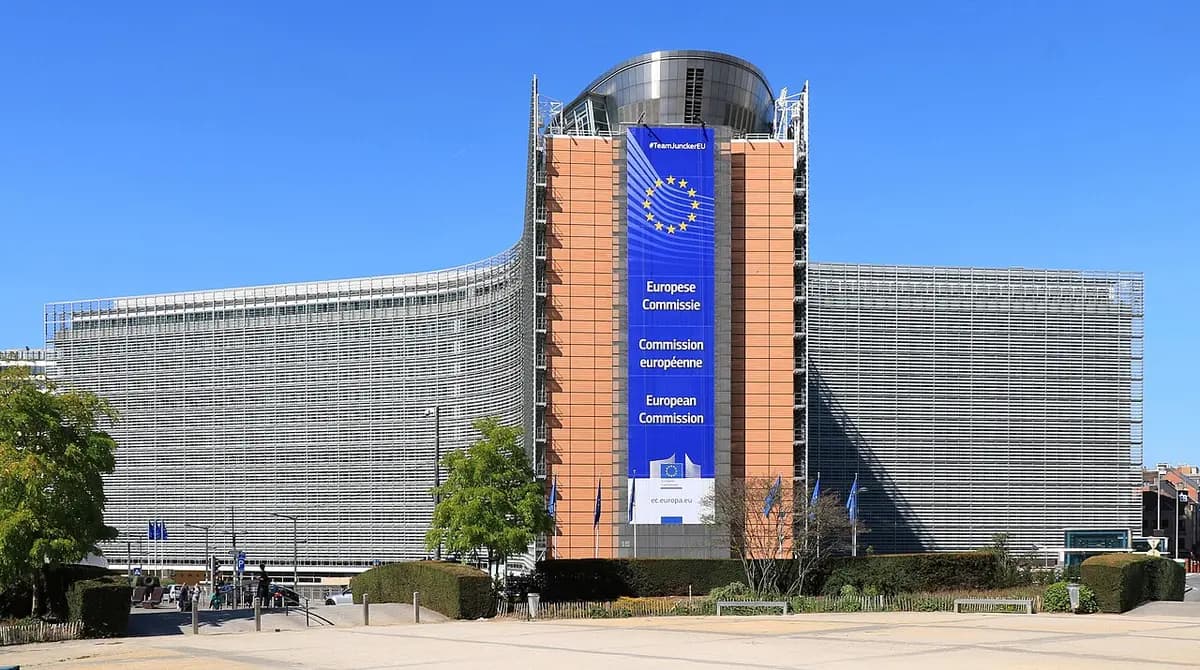
Photo: EmDee, Wikimedia Commons, CC BY-SA 4.0 licence; image converted to WebP and resized.
Where does the procedure stand, and what could happen?
The investigation has only just opened: no penalty has been imposed and the outcome is not decided in advance. The press release states that opening formal proceedings "does not prejudge" the outcome of the investigation. The Commission announces an in-depth investigation carried out as a priority, with further requests for information, interviews or inspections. It may then take interim measures, adopt a non-compliance decision, or accept commitments offered by Booking.com.
The proceedings follow a preliminary investigation: the Commission analysed Booking.com's risk assessment reports and the company's answers to two requests for information, sent on 23 September 2025 and 26 May 2026. It works with the Netherlands Authority for Consumers and Markets, since Booking.com is established in the Netherlands. The press release sets no timetable.
What does it change for you as a host on Booking.com?
For now, nothing mandatory: no new rule applies to accommodation providers. But the investigation targets precisely the chain you are part of: your extranet account holds your guests' names, contact details and sometimes payment data. Booking.com says so itself: your account "has valuable information that fraudsters may try to target". A hacker who gets in can write to your guests from your own message thread, with your name and the real dates of their stay. For the guest, the fake message is then impossible to tell apart from a real one.
If the investigation leads to measures, they could affect messaging, data sharing or the display of boosted listings. These are hypotheses: nothing has been decided. In the meantime, the best protection is in your hands. To compare Booking.com with other platforms on fees and rules, see our Airbnb, Booking and Abritel comparison.
How do hackers attack hosts?
Most often with an email that imitates Booking.com and pushes you to act fast. Booking.com lists the classic signs: urgent language (threat of account suspension, payment problem), spelling mistakes, mixed languages, and links that do not lead to an address ending in ".booking.com". The platform states that it will never ask you for an urgent action without prior communication.
Some lures are very elaborate. In March 2025, Microsoft Threat Intelligence described a campaign active since December 2024, attributed to the group Storm-1865, targeting hospitality staff working with Booking.com. The emails mentioned a fake negative review, a request from a prospective guest or an account verification. The link led to a fake CAPTCHA-style verification page asking the user to open the Windows "Run" window and paste a command into it. This technique, called ClickFix, installed software that steals credentials and financial data.
Remember this: no legitimate verification asks you to paste a command into Windows. And an email about a negative review never asks you to open an attachment or sign in through a link; to handle a real review, go through the extranet, as explained in our guide to responding to negative reviews on Airbnb and Booking.
How can you tell if your extranet account has been hacked?
The signs listed by Booking.com are concrete:
- guests report receiving messages or calls asking for payment that did not come from you;
- changes you did not make: contact details, rates, availability, listing content or channel manager;
- a "new sign-in" email you do not recognise;
- new two-factor authentication phone numbers or new users added to your property.
A single one of these signs is enough to act immediately. Booking.com also states that if it detects suspicious activity on your account, it immediately disables the "link" feature in the messages you send to guests, to prevent fraudulent payment links from being sent. If your links no longer go through, do not try to work around the block: check your account.
Which habits should you adopt today?
Six habits cover the essentials, all drawn from the pages of Booking.com and Cybermalveillance.gouv.fr:
- Use the right door. Type https://admin.booking.com/ into your browser yourself, then bookmark the page. Never sign in from a link received by email or text message.
- Choose the best two-factor authentication. It is mandatory on the extranet. Booking.com recommends a time-based code generated by an app (TOTP), such as the verification code in the Pulse app, rather than SMS, which is easier to intercept.
- Protect your email too. A hacker who reads your emails can reset your Booking.com password. Turn on two-factor authentication on your mailbox.
- A long, unique password. At least ten characters with uppercase and lowercase letters, numbers and special characters according to Booking.com, with no name or date of birth, and never reused elsewhere.
- One account per person. In a property management company, create an individual extranet account for each team member instead of sharing a password, and regularly review users and two-factor phone numbers.
- Stay on the platform's messaging. Booking.com advises avoiding WhatsApp and other outside channels when talking to guests. Also keep your devices up to date, with active antivirus software.
The same principle applies to the rest of your property: a poorly protected network also exposes your guests, as we explain in our article on Wi-Fi security in short-term rentals.
Photo: Santeri Viinamäki, Wikimedia Commons, CC BY-SA 4.0 licence; image converted to WebP and resized.
How can you warn your guests without worrying them?
By giving them one simple rule, before the fraudster writes to them. Booking.com reminds guests that it never asks for their bank card by email, phone, text message or WhatsApp, that a bank transfer that differs from the payment policy in the confirmation is suspicious, and that no payment is ever made with gift cards. Make these points your own, in three places:
- In the listing: one sentence in the description, for example "We will never ask you to pay by link, text message or WhatsApp. Payment only follows the terms of your Booking.com confirmation."
- In the confirmation message: the same reminder, sent through Booking.com messaging. Our scheduled message templates work well for this addition.
- In the welcome booklet: a "Payment and security" section the guest reads during the stay, when they sometimes receive messages about an extension or an extra charge.
A digital welcome booklet has a practical advantage here: you add or correct the section whenever you like, without reprinting, and the guest opens it by scanning a QR code, with no app to install. With translation into six languages, the reminder is read by your international guests, often the most targeted.
| What you tell your guests | What a fraudster writes |
|---|---|
| Payment follows the terms of the Booking.com confirmation | "Confirm your card within 24 hours" |
| Conversations stay on Booking.com messaging | "Message me on WhatsApp instead" |
| No payment link is ever sent by the host | A link to a "secure" payment page |
| No urgency: nothing is cancelled without notice | "Your booking will be cancelled if you do not pay" |
| No payment by gift card or unexpected bank transfer | A transfer to a new account, or gift cards |
What should you do if you clicked or your account was hacked?
Act in order, and fast. Booking.com recommends:
- Change your email password first, then your Booking.com password, from https://admin.booking.com/ and the sign-in help link on the login page.
- Scan your device with up-to-date antivirus software: some phishing attacks install malware instead of stealing a password.
- Report the incident to Booking.com within 24 hours, with a copy of the suspicious email and a list of the activity you do not recognise.
Then warn guests with current or upcoming bookings, through Booking.com messaging: pay nothing outside the terms of the confirmation. If guest data may have been viewed, your GDPR obligations may apply: our article on guest data and the GDPR covers this.
For France, Cybermalveillance.gouv.fr adds further steps: block your card with your bank if you gave out bank details, keep the evidence, file a police report, report the email on Signal Spam or the Phishing Initiative website, forward a fraudulent text message to 33700, and call Info Escroqueries on 0 805 805 817 (free call). Outside France, use the equivalent services in your country.
And on Airbnb, is the rule different?
The principle is the same, with an even stricter rule. Airbnb's help page on off-platform payments forbids hosts from asking for a booking or communication outside Airbnb before the booking. It reminds users that paying outside Airbnb exposes them to fraud and phishing, and that a request for a bank transfer can signal a fraudulent booking. Airbnb also blocks messages containing contact details or external links before a booking, and invites users to report any suspicious message. If you are on both platforms, one instruction is enough for your guests: every payment goes through the booking platform. For Airbnb's other rules on guest identity and the documents you may request, see our article on ID, contracts and apps.
Key takeaways
Information
- On 21 October 2026, the European Commission opened formal proceedings against Booking.com under the DSA: fake listings, phishing that exploits booking data, boosted listings not flagged as advertising.
- No penalty has been imposed and no new obligation applies to hosts at this stage.
- Your extranet account is a target: sign in by typing admin.booking.com yourself, use app-based two-factor authentication, protect your email, one account per person.
- Warn your guests in the listing, the confirmation message and the booklet: no payment by link, text message or WhatsApp.
- If you are hacked: email password, then Booking.com, scan your device, report to Booking.com within 24 hours.
FAQ
Is the European investigation aimed at hosts?
No. The proceedings target Booking.com as a very large online platform. They concern how the platform assesses and reduces risks, not accommodation providers. Any measures would be addressed to Booking.com.
Can Booking.com ask for my sign-in details by email?
No. Booking.com states that it will never ask you for your sign-in information. An email asking for your password or verification code is a phishing attempt.
A guest received a fake payment message: has my account been hacked?
It is one of the signs listed by Booking.com, so check right away: change your passwords, review users and two-factor phone numbers, then report the incident to Booking.com within 24 hours. Tell the guest not to pay anything outside the terms of their confirmation.
Is SMS good enough for two-factor authentication?
It is better than nothing, but Booking.com recommends a time-based code generated by an app (TOTP), which is harder to intercept and works even without a mobile network.
How can I check that an email really comes from Booking.com?
Hover over the link without clicking, or press and hold it on mobile: the address must end in ".booking.com". If in doubt, do not click, and sign in directly through admin.booking.com to see whether the message appears there.
A security reminder in your booklet, in five minutes
The investigation will take time; your guests arrive this week. Add your "Payment and security" section now: the welcome booklet generator in the Essential plan (free, with optional add-ons) creates a booklet and its QR code without signing up, and you can edit it at any time without reprinting.
Image credits. Cover: photo "Red padlock on black computer keyboard" by FlyD, Unsplash, Unsplash licence. Photos in the text: Berlaymont building by EmDee, Wikimedia Commons, CC BY-SA 4.0 licence, and username and password illustration by Santeri Viinamäki, Wikimedia Commons, CC BY-SA 4.0 licence; images converted to WebP and resized.


